
Introduction
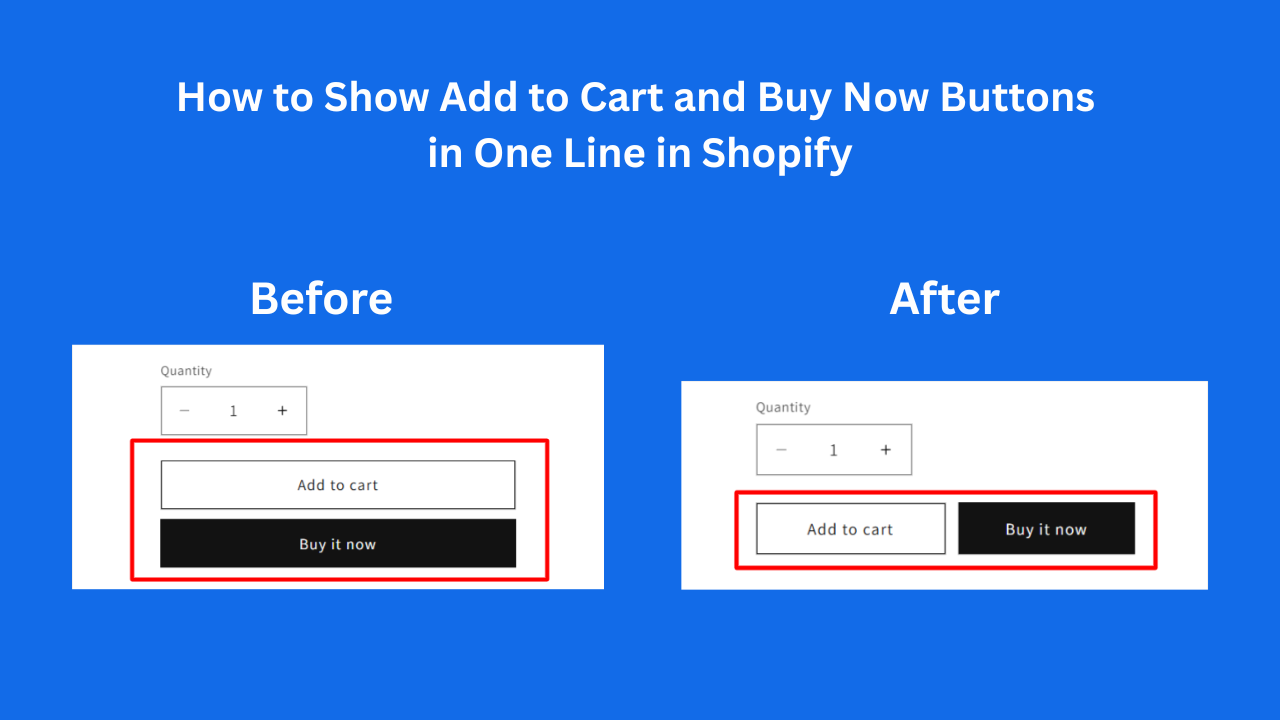
By default, many Shopify themes display the Add to Cart and Buy Now buttons in different sizes or stacked vertically. This happens because Shopify injects the Buy Now button dynamically with its own wrapper styles.
In this tutorial, you’ll learn how to align both buttons in a single row with equal width, using clean CSS that works with most Shopify OS 2.0 themes like Dawn.
- Open base.css or theme.css
- Paste the code at the bottom of the CSS file:
            .product-form__buttons {
  display: flex !important;
  gap: 12px;
}

.product-form__buttons > * {
  flex: 1 1 0 !important;
  max-width: 50% !important;
}

.shopify-payment-button,
.shopify-payment-button__button {
  width: 100% !important;
  max-width: 100% !important;
}
🎯 What This Code Does
Forces both buttons into one line
Gives equal width to Add to Cart & Buy Now
Overrides Shopify’s injected Buy Now styles
Works without editing Liquid files
📌 Conclusion
With just a few lines of CSS, you can fix one of the most common Shopify UI problems and improve your product page conversion.
If you need advanced features like:
Sticky Add to Cart
AJAX Add to Cart
Custom Buy Now design
